Sign up now and get:
Immediate access to two live workshop replays, plus companion guides and lessons
2 months access to my custom AI Prompt Generator Tool (8 curated art styles) - This is how the MAGIC happens.
Learn the Brain vs. The Painter method. Turn the photos you thoughtfully captured-the ones you imagined, styled, framed, and made-into AI-generated illustrations that actually look like art ... not generic AI ugh..
This is about taking the fear out of AI. You've seen those amazing AI images and thought, 'I could never do that,' or 'I tried it and it looked kinda creepy.'
Photos Reimagined fixes that. It's seriously so much fun,
Step-by-step instructions taking your through the process from Photo, to Prompt, to download and beyond.
Includes 2 months free access to my custom AI Prompt Generator Tool ⋯ 8 curated art styles, built specifically so you don't waste time (or credits) on bad results.
I've never been that interested in generative AI for photography. I don't need AI to make my photos...I already know how to do that. But I'm not an illustrator. And when I wanted to create soft, watercolor-style illustrations for holiday cards and gift tags, I realized: this is where AI makes sense for me.
This workshop is about taking your photos—images you've already made, moments you care about, scenes you've imagined, styled and framed yourself—and reimagining them into something that genuinely feels yours. We'll use generative AI to get the look you're after, and I'll show you some ways you might turn those illustrations into printable projects: cards, tags, bookmarks, recipe cards ⋯ whatever sparks an idea for you.
It's digital-to-analog. It's intentional. And it's transparent...I'm not pretending I drew/or painted these by hand. I'm showing you how I use AI as a tool, not a replacement.
(Sidenote: there are some Photos Reimagined painters in the class that are using this process to envision their paintings first-which is genius).
I think the reason many people find GenAi disappointing is they are tyring to make the AI do everything. They open an Ai app, stare at a blinking cursor, and don't know what words to use.
I want you to think about it differently. We're going to separate the roles.
The Brain ⋯ that's the writer. The tool that looks at your photo and figures out the composition, the lighting, the mood. It writes the prompt for you.
The Painter ⋯ that's the tool that puts the pixels on the canvas. It takes the prompt and makes the art.
For the Brain, I built a custom tool. You upload your photo, choose one of the beautiful art styles I've curated (soft line and wash, painterly still life, muted Scandinavian, textured letterpress ⋯ ), and the tool writes the prompt for you. No guessing required.
For the 'art', you upload your photo and insert the prompt and let the magic begin.
This saves you so much time. No more back-and-forth trying to describe what you want. No wasted 'credit's on results that look nothing like your vision.
You get beautiful art, not creepy AI junk.
This is not a Filter
This isn't like applying a filter in Photoshop or a 'watercolor app' and accepting what you get. Filters are passive—you work within preset options. This is active. You're describing the aesthetic you want before the image exists, and then refining it through iteration. You're directing the AI with language, guiding it closer to your vision with every attempt. That's what gives you control—and that's what makes the result feel more your own.
Most people trying to use AI for illustrations get frustrated because they don't know how to prompt effectively. They ask for something specific and get back something generic. Or worse, something ugly.
That's why I built the Minimalist Visual Prompt Studio.
Upload your photo, choose from 8 carefully refined styles (watercolor minimalist, painting, and more), and the tool generates the exact prompt you need. You might iterate once or twice to get it just right, but you're starting from a strong foundation instead of guessing in the dark.
Without it, you'd spend hours tweaking prompts and getting mediocre results. With it, you're getting beautiful art in minutes.
This is what people mean when they say 'I couldn't do this without Kim Klassen.' The tool eliminates the confusion so you can focus on creating.
Everyone who joins gets 2 months of full access—which means you can experiment with different photos and styles long after the workshop ends.
Tears and shivers." — Karen (after seeing her late dog Tucker reimagined as an oil painting)
Oh my gosh. It kept the composition of my poppies, but it looks like a sketchbook page. It's not 'creepy AI.' It's art." — Kim
It doesn't look like a filter. It looks like someone painted him." — Kim (on Tucker's portrait)
Can we make recipe cards? That is a brilliant idea." — Pat
I could never do that. Now I feel like I can." — Valinda
Thank you, this workshop has been a game-changer for me!" — Sarah S
I’m the most amazed by your prompt tool.." — Barbara B
Life changing workshop, Kim!”— Barbara B
Thank you so much! For all of this and your hard work…." — Kim P.
I forgot how much I love your classes!" — Marny S
I haven’t finished the session yet but to say I’m mesmerized by this is an understatement!!!! I’m excited to get started...
—Jackie G
What an inspiration taking this course. I had dabbled in MidJourney but had felt overwhelmed at the idea of exploring further. Thank you for the confidence that this course gave me.
—Karen Burns
Photos Reimagined helped me experience real creative freedom. Using Kim’s Custom Prompt unlocked a playful, experimental process—and the results were amazing. Being able to transform my photography into different art styles has opened up so many new ways to satisfy my creative curiosity and be delighted with the results !"
—Louse H
Hour One:
+The Brain vs. The Painter ⋯ why separating these roles changes everything
+How I think about prompting AI for a specific aesthetic (not just 'make it pretty')
+Using my custom ChatGPT Prompt Tool to write your prompts for you ⋯ 7 curated art styles that feel connected to my aesthetic (and save you from trial-and-error frustration)
+Creating illustrations from your own photos in Google Gemini
+Getting the look you want, not what the AI defaults to
+Avoiding 'context bleeding' and other weird AI quirks
30-Minute Break: Try it yourself. Experiment. Come back with questions.
Hour Two:
+Test. Experiment
+and how to make your Ai images into art you can print, share or maybe just keep all for yourself.
I spent many, many hours curating 8 different art styles that feel connected to my aesthetic ⋯ then had ChatGPT analyze the artwork to understand what makes each style work.
The result? A tool that writes better prompts faster.
Why does this matter?
It saves you from the back-and-forth of trial and error. Fewer bad generations means you're not wasting your tokens (think of them as credits ⋯ every image you generate uses one, and free accounts get very few per day).
This tool helps you use them wisely.
You get 2 months free access with the workshop.
Why Use Your Own Photos?
Because it feels like yours. Not mine, not some random stock image, not a Pinterest screenshot—yours.
When you start with a photo you've taken, the illustration carries that original intention forward. It's rooted in something real. A little more personal.
That said, the process works with any image. But I've found that starting with my own work makes the whole thing feel more connected—and that's what I'll be teaching from.
+Access to Session One full workshop replay (2.5 hours)
+Invitation to Session Two on January 18th.
+2 months free access to my custom AI Prompt Generator Tool (7 curated art styles)
+Step-by-step demonstrations, both live and on the replays.
Perfect for: Last-minute gifting, creating something personal, learning a new creative process you can take into the new year.
+Your own photos (digital files)
+Access to AI tools (I'll walk you through which ones during the workshop)
+Canva or Photoshop to edit/design with your new art.
+A printer if you want to print your art after the class.
Not Just for the Holidays
Turn your photos into stationery, calendars, cards...art you'll actually want to gift. (Or maybe keep for yourself.)

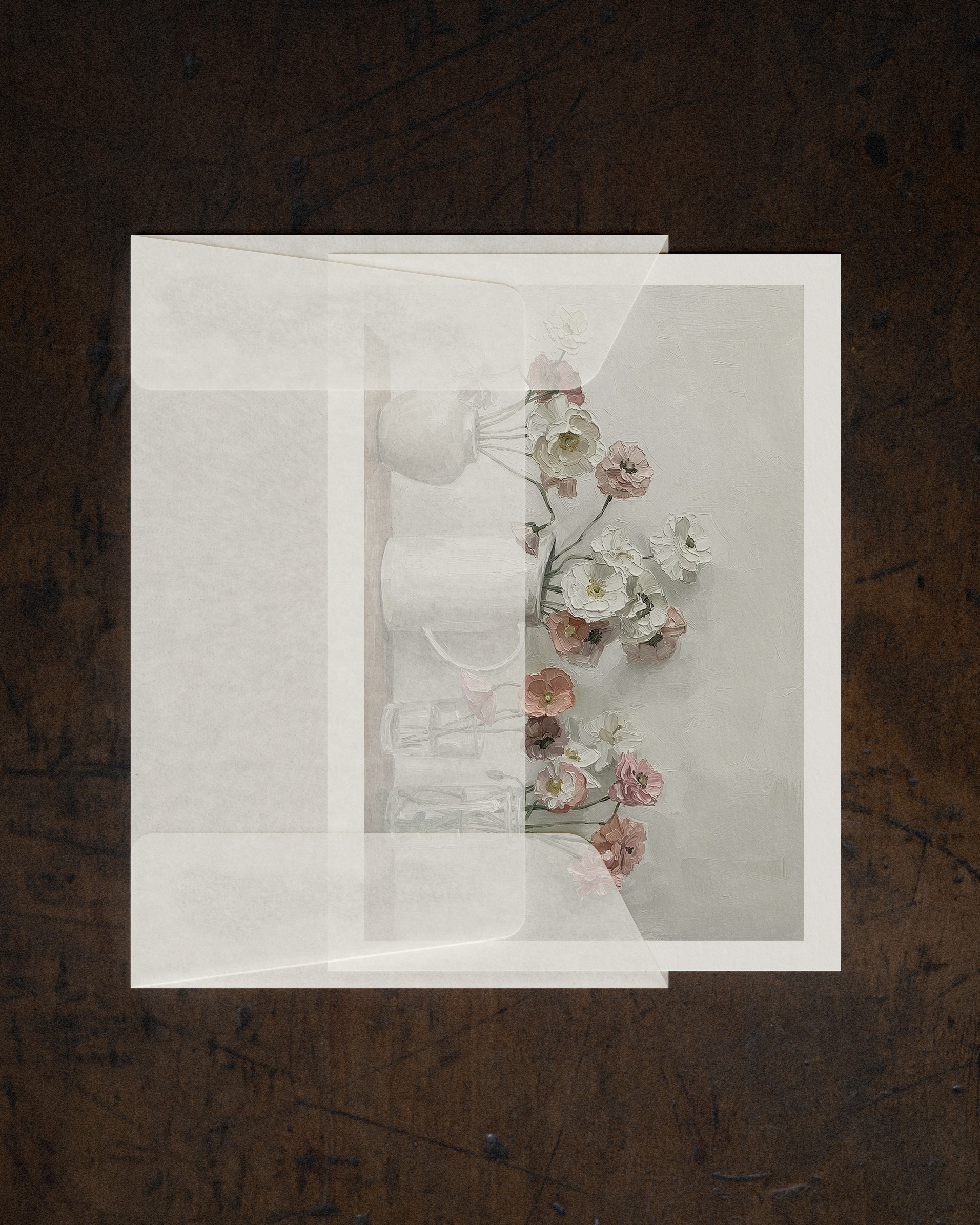
I'll be teaching with my own photos because that's what makes this process feel personal and original. But the techniques work with any image—inspiration photos, screenshots, whatever you want to transform.
Not at all. I'll walk you through everything step by step. We're using free tools, and I'll show you exactly how I prompt and iterate. No experience needed.
Canva works just as well, and I'll demo both. You can use whichever one you're comfortable with—or try both and see what clicks.
Nope. This is about learning a process, not being a designer. I'll show you how I think through prompts and layouts, and you can adapt it to your own style.
You can watch and work through it at your own pace. ♡
Yes. What you learn about guiding AI and iterating on prompts applies to any kind of image generation, not just illustrations or holiday printables.
Sign up for instant access to everything you need to get started reimagining your beautiful photos in so many exciting ways.
Learn the Brain vs. The Painter method, use my custom prompt tool to create art that actually looks good, and turn your illustrations into cards, tags, and gifts you can print at home.
Includes 2 months free access to my custom AI Prompt Generator Tool. (this is the how the magic happens)